┌─────────────────────────────────────┐ │ DEC VT101 Video Terminal │ │ ©1982 Digital Equipment Corp. │ │ │ │ _ │ └─────────────────────────────────────┘

VT101

Digital Equipment Corporation's iconic video terminal — ancestor of every modern terminal emulator

DEC · 1982 · ANSI X3.64 · 80×24
VAX-11/780$ login alice
Password:
Welcome to VAX/VMS V4.7. Last login: 03-APR-2026.
Terminal type: VT101 Speed: 9600 baud Columns: 80
$
DEC Terminal Timeline
1970
VT05 — DEC's first video terminal. 20×72 characters, no cursor addressing, no scrolling. Replaced punched cards and paper tape at DEC sites.
1974
VT50 / VT52 — cursor-addressable terminals with DEC-specific escape sequences. The VT52 became a de facto standard before ANSI codes existed, and is still emulated today.
1978
VT100 — the landmark model — first DEC terminal to implement ANSI X3.64 escape codes. 80/132 column mode, smooth scroll, 24 lines. Wildly successful, cloned by every major vendor. The direct ancestor of xterm and every modern terminal emulator.
1982
VT101 — stripped-down VT100-compatible at a lower price point (~$795). No smooth scroll, no downloadable character sets, no AVO. Fully ANSI X3.64 compliant. Popular in universities, research labs, and government installations.
1983
VT102 — VT101 with a built-in printer port and Advanced Video Option (AVO) for double-width and double-height characters. The cost-effective workhorse of early Unix shops.
1987
VT220 / VT240 — 8-bit character sets, PC keyboard layout, 132-column standard, ReGIS vector graphics on VT240. First DEC terminal to feel truly modern.
1990
VT320 / VT340 — VT320 brought tilt-swivel display and NVRAM settings storage. VT340 added a 4-color ReGIS display and sixel graphics — capable of rendering photographs on a terminal.
1993
VT420 — DEC's last major text terminal. Dual simultaneous host sessions, 4-page screen memory, VT52/VT100/VT220 compatibility modes. A 14" monitor.
Today
Living legacy — xterm, iTerm2, Windows Terminal, Alacritty, kitty, WezTerm — all emulate VT100/VT220 and respond to the same escape sequences defined in the early 1980s. The VT101 spec is alive in every terminal you open.
What Made the VT100 Revolutionary
ANSI X3.64 Compliance
Before 1978, every terminal vendor used proprietary escape codes. A program written for a Hazeltine had to be completely rewritten for an ADM-3. The VT100 was the first affordable terminal to implement the ANSI X3.64 (now ECMA-48) standard — one set of codes that worked everywhere. Every terminal emulator today still honors these 1978 sequences.
The 80-Column Standard
80 columns — inherited from the IBM punched card (80 columns wide since 1928). The VT100 locked this in as the standard terminal width. 132-column mode (optional on VT100, removed on VT101) was used for wide spreadsheets and reports on line printers. Modern terminals default to 80 cols and most code style guides cap lines at 79 or 80 characters to this day.
RS-232 Serial Protocol
VT101 connected via RS-232 serial. Baud rates: 75, 110, 134.5, 150, 300, 600, 1200, 2400, 4800, 9600. At 9600 baud: ~960 chars/second. Full-screen refresh: ~2 seconds. Slow scroll was a feature — you could read text as it arrived. The VT101's 8085 CPU ran at 2MHz. Screen memory: a mere 2 KB. Total weight: ~25 lbs (11 kg).
DEC Terminal Hardware Gallery
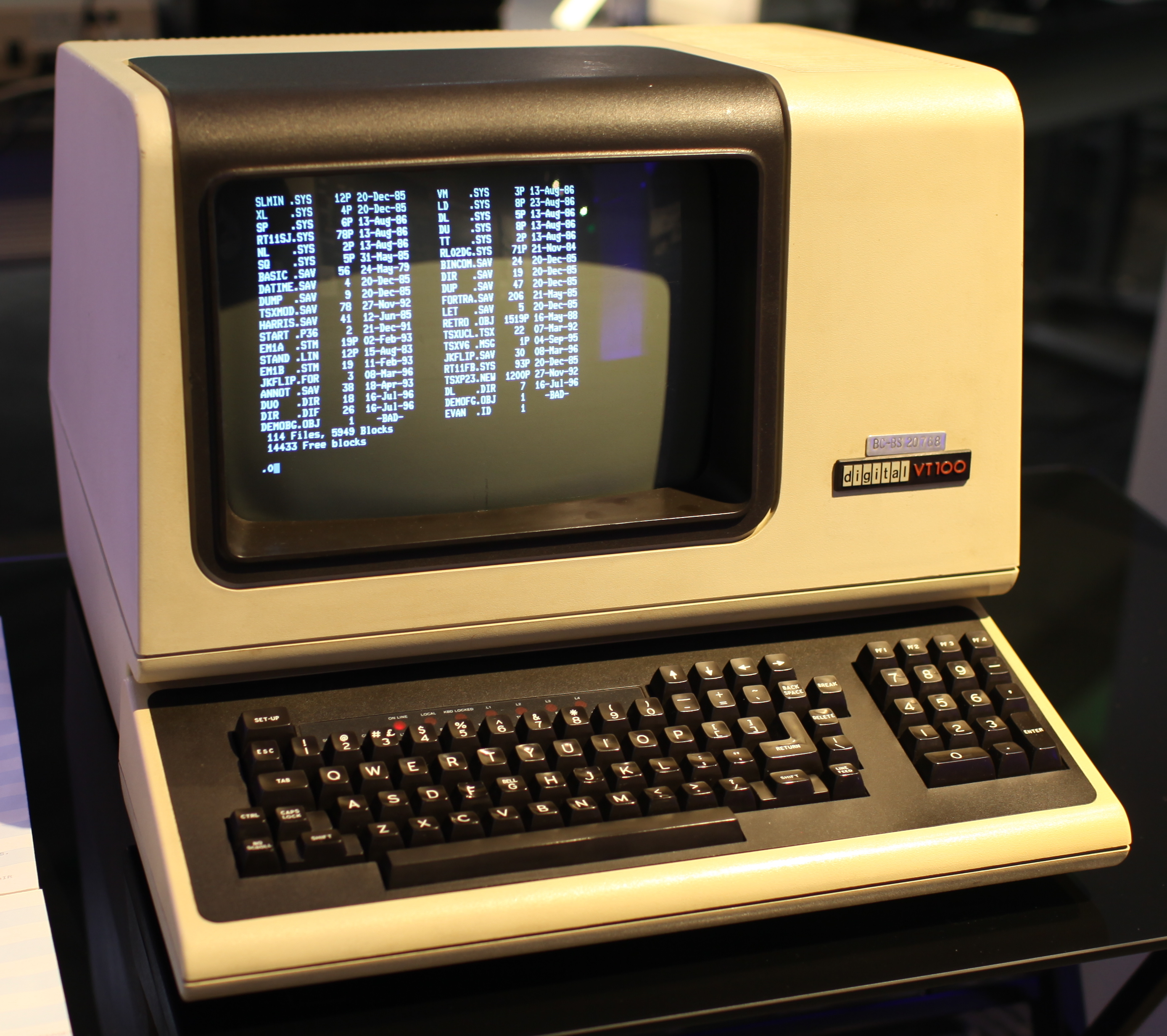
DEC VT100 terminal
VT100
VT100
1978 · ~$1,500 (~$7,200 today)
The most influential terminal ever built. First affordable ANSI X3.64 compliant terminal. Introduced 80/132 column modes, smooth scrolling, box-drawing graphics characters, and the DEC Special Graphics character set. Cloned by virtually every competitor — ADM, WYSE, Televideo all made "VT100 compatible" terminals.
Display: 24×80 / 14×132
Baud: Up to 19,200
CPU: 8085 at 3.07 MHz
Screen: 12" P4 white phosphor
Weight: ~35 lbs (16 kg)
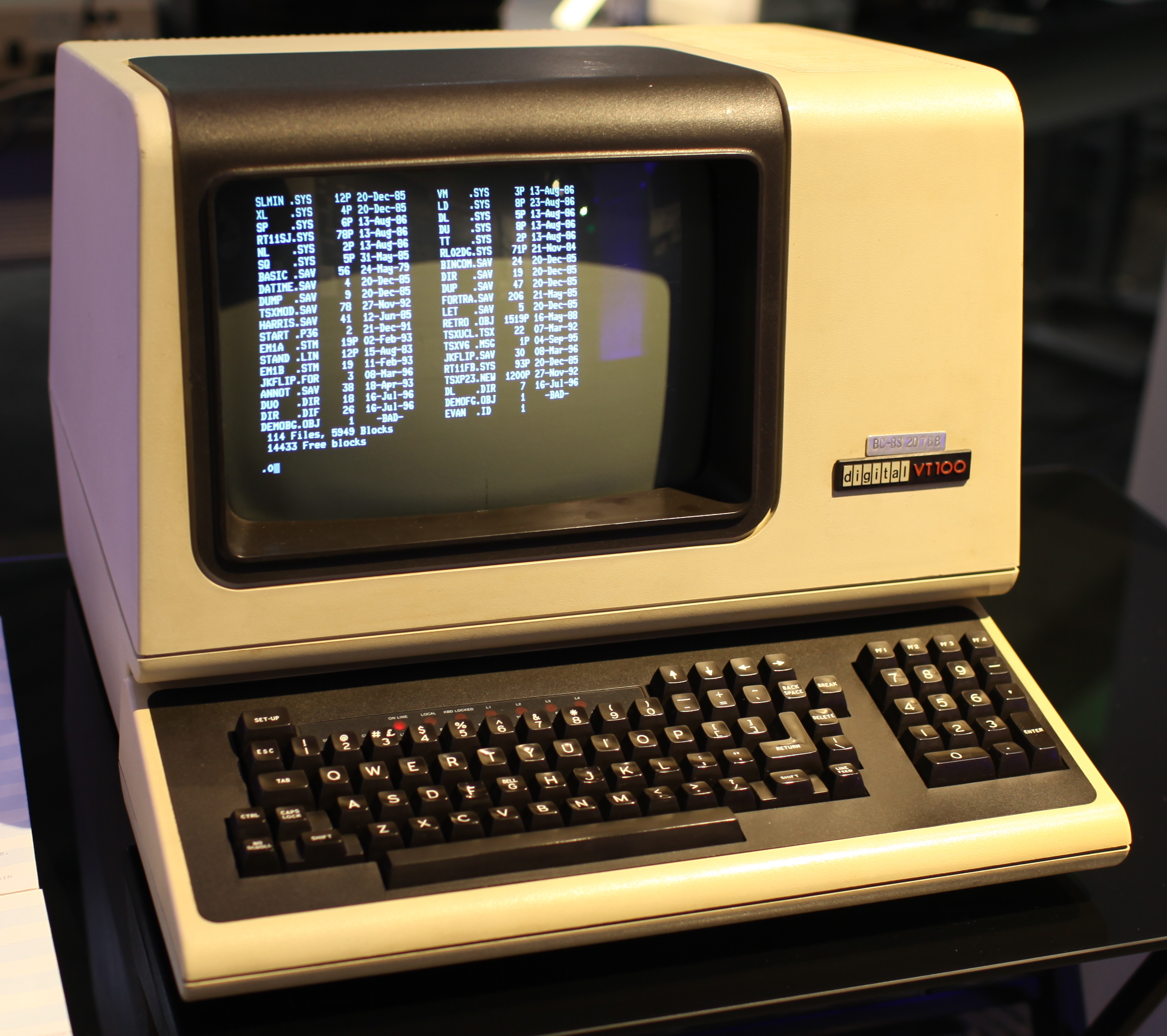
DEC VT101 terminal
VT101
VT101
1982 · ~$795 (~$2,500 today)
The budget VT100 — same form factor, same ANSI compatibility, half the price. DEC cut costs by removing smooth scroll, downloadable character sets, and the 132-column mode. The amber phosphor option made it the choice of late-night hackers in university labs. Identical outer shell to VT100.
Display: 24×80 (fixed)
Baud: Up to 9,600
CPU: 8085 at 2 MHz
Screen: 12" P4 white or amber phosphor
RAM: 2 KB screen memory
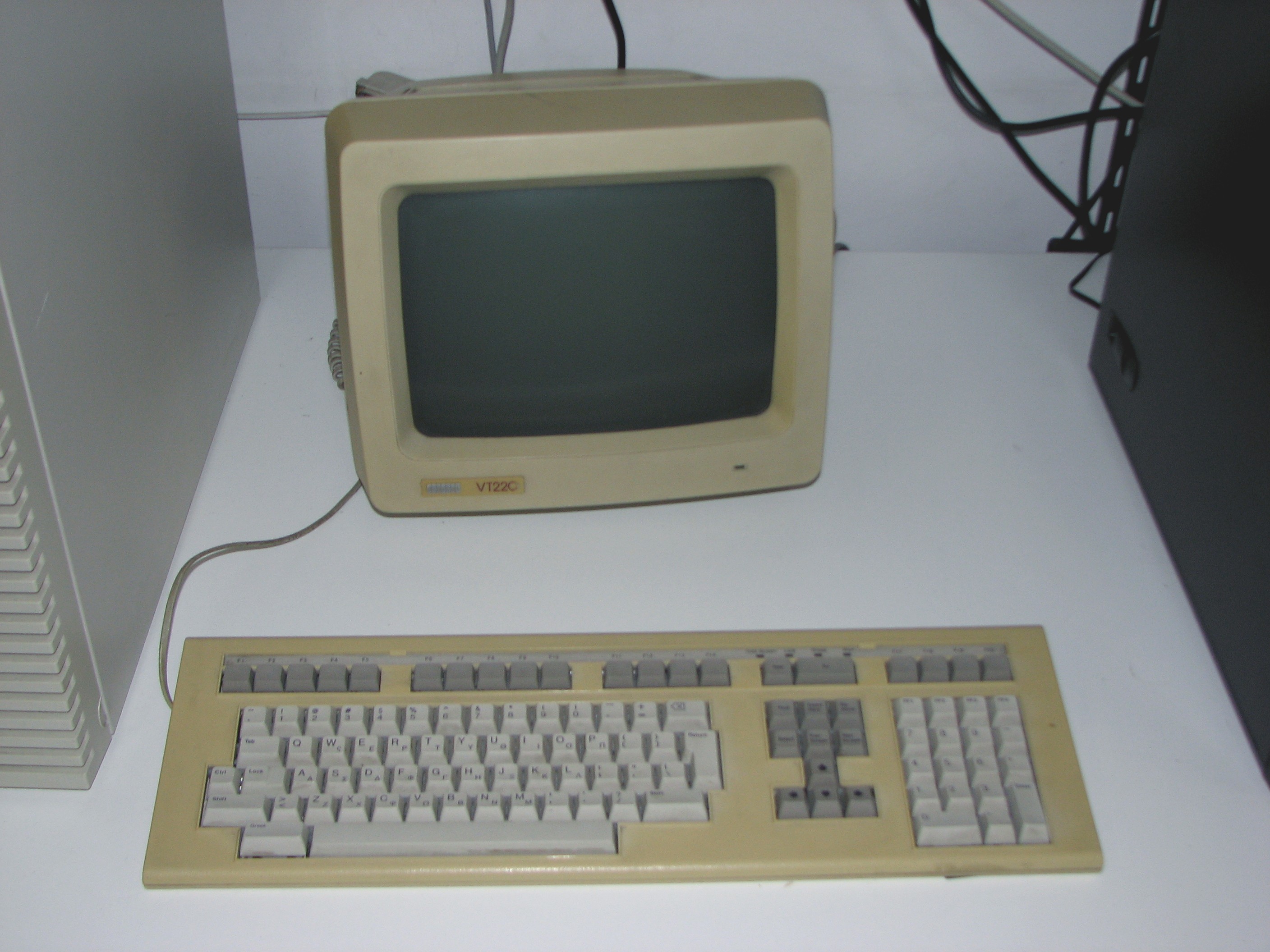
DEC VT220 terminal
VT220
VT220
1987 · ~$900
A massive leap over the VT101 generation. 8-bit character sets for international use (Latin-1, Hebrew, Greek), PC-style keyboard with F1–F20 and a numeric keypad, 132-column standard. The keyboard detached for the first time. National Replacement Character Sets supported 30+ languages. Introduced the "setup screens" UI for configuration without a manual.
Display: 24×80 / 24×132
Baud: Up to 38,400
Interface: RS-232 + printer port
Keyboard: LK201 detachable
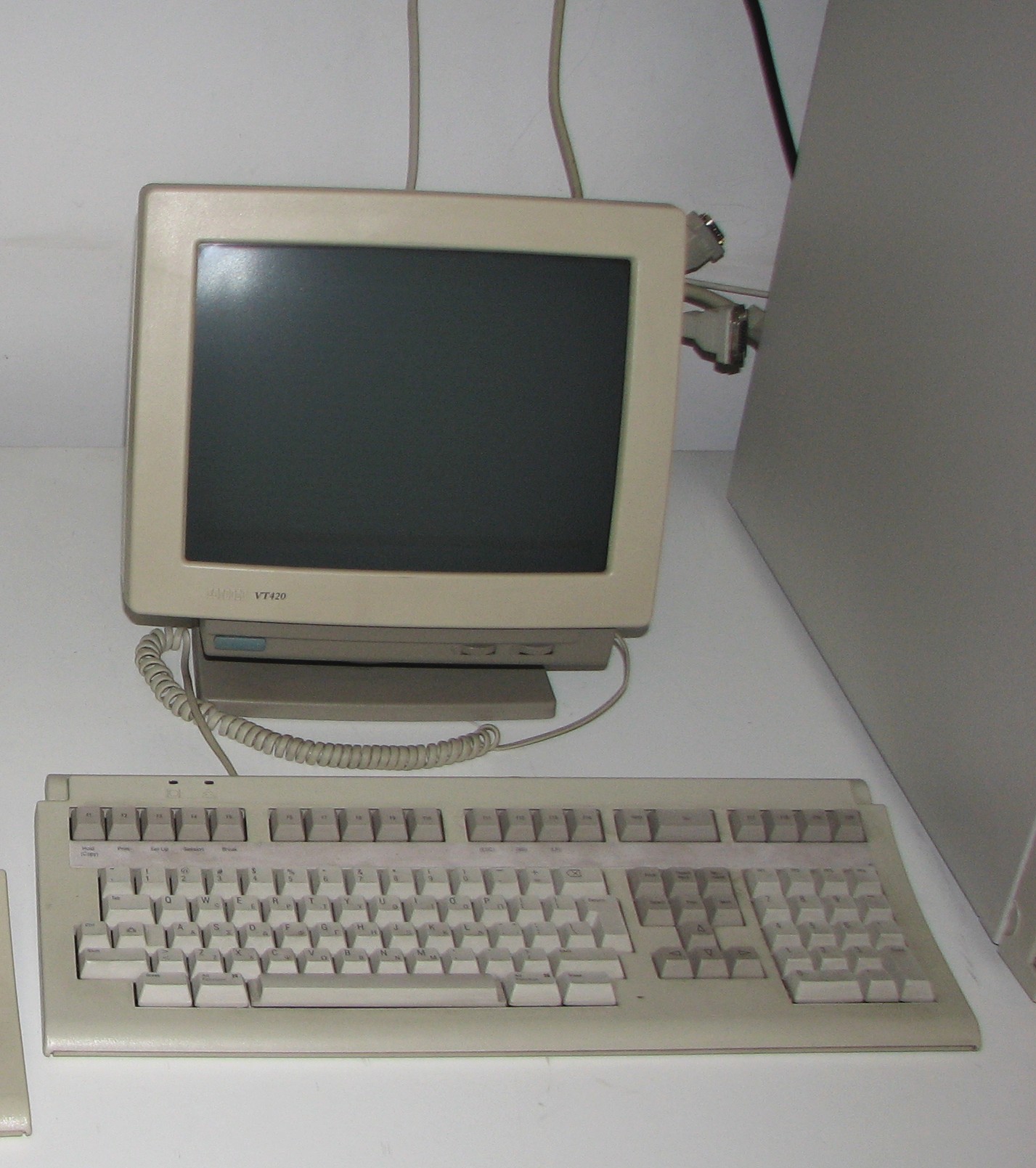
DEC VT420 terminal
VT420
VT420
1993 — DEC's final text terminal
The last great DEC terminal. Two simultaneous host sessions (switch with a keypress), 4-page screen memory for rapid context switching, enhanced NVRAM settings. VT52/VT100/VT220 emulation modes for backward compatibility. 14" amber or white monitor with tilt-swivel base. By this point, cheap PC hardware was making dedicated terminals obsolete.
Display: 24–48 rows × 80–132 cols
Sessions: 2 simultaneous hosts
Ports: RS-232 + printer + AUX
Screen: 14" amber or white
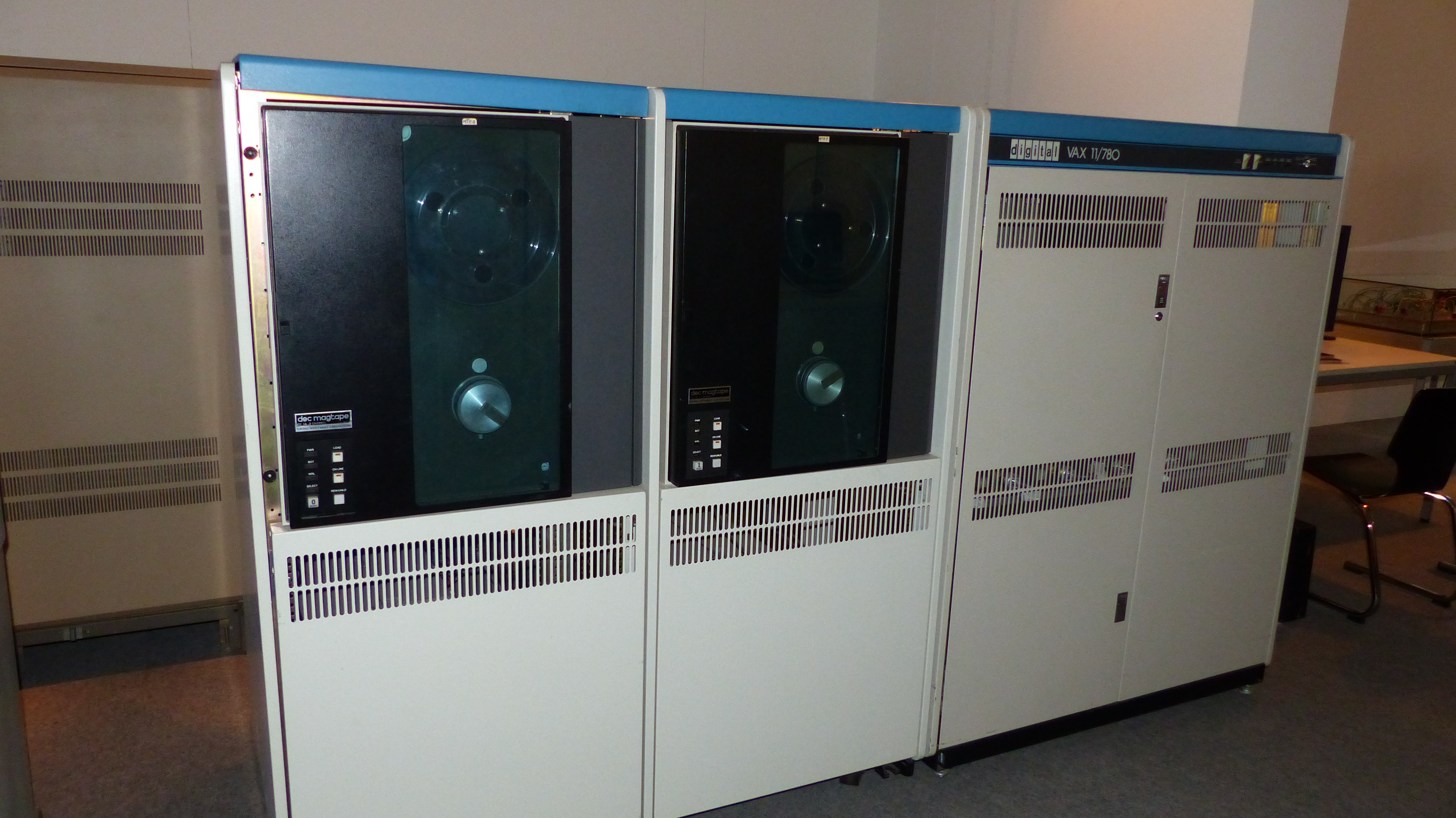
VAX 11/780 computer system
VAX
VAX-11/780
1977 · ~$200,000
The host machine that VT101 terminals connected to. DEC's VAX (Virtual Address eXtension) architecture dominated university and research computing in the 1980s. Running VAX/VMS or Ultrix (DEC's Unix), a single VAX-11/780 could serve dozens of simultaneous VT101 users via RS-232 terminal concentrators. 1 MIPS — roughly 1/4000th of a modern smartphone.
CPU: VAX-11/780 @ 5 MHz
Performance: ~1 MIPS
Memory: 1–8 MB
OS: VAX/VMS, Ultrix
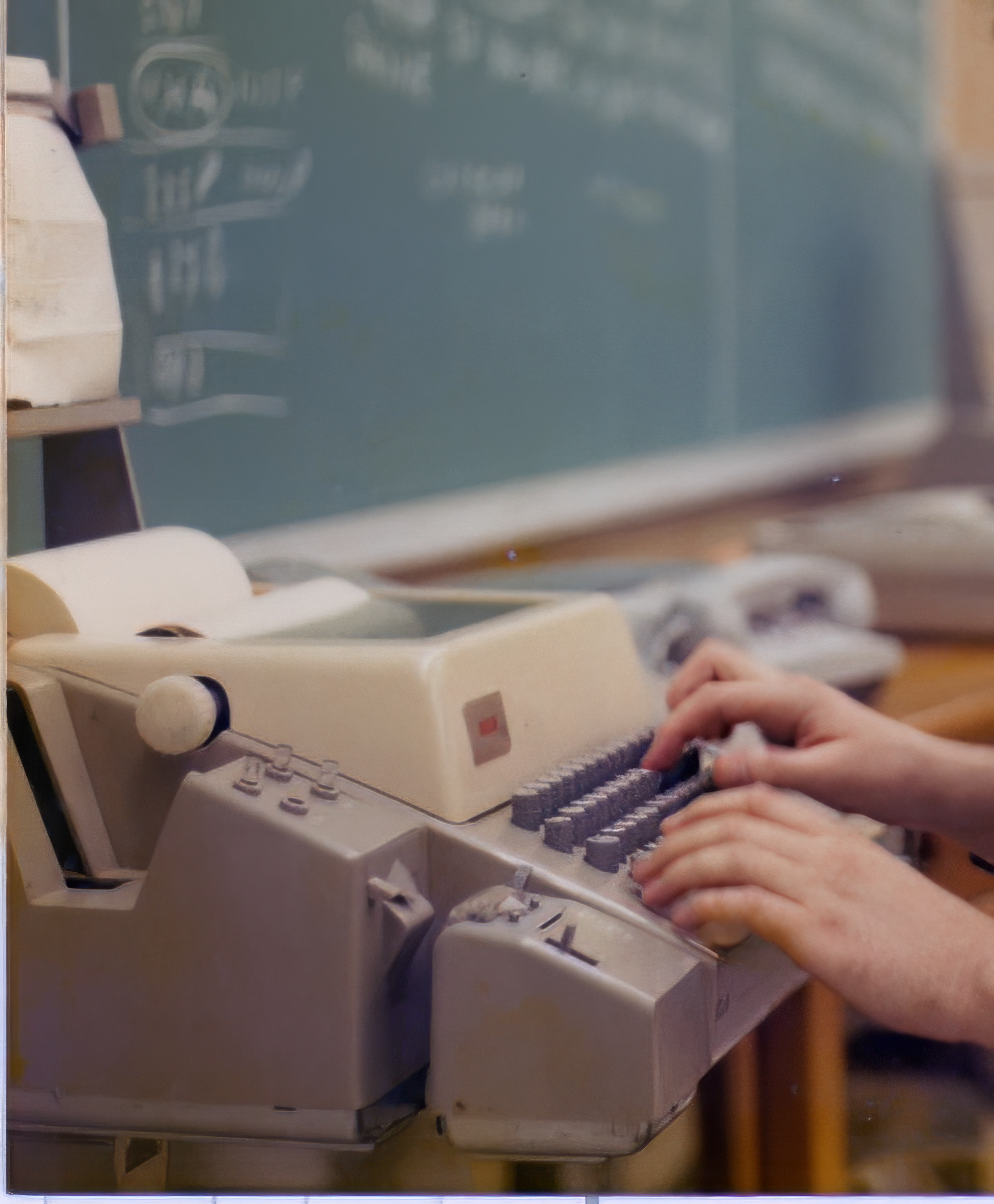
Teletype Model 33 ASR
TTY
Teletype Model 33 ASR
1963 · The original "TTY"
The ancestor of all terminals. A Teletype connected to a computer: you type, it prints on paper. No screen — just a roll of paper. The Model 33 ASR (Automatic Send-Receive) used ASCII encoding and ran at 110 baud (10 chars/sec). Unix was designed around the Teletype — the "/" in file paths comes from Teletype paper-tape conventions. The word "tty" in Unix refers to this device to this day.
Speed: 110 baud (10 cps)
Encoding: 7-bit ASCII
Interface: RS-232, 20mA current loop
Legacy: Unix /dev/tty, stty, tput
Physical Characteristics — VT101 vs VT100
VT101 Hardware Specs
Screen: 12" CRT, P4 white or amber phosphor Resolution: 800×240 pixels (80×24 character grid) Char cell: 10×10 pixels (7×10 active) Interface: RS-232 serial, EIA RS-423 Baud rates: 75 – 9,600 baud RAM: 2 KB screen memory ROM: 16 KB firmware CPU: Intel 8085 @ 2 MHz Weight: ~25 lbs (11 kg) Dimensions: 14" × 16" × 14" (W×D×H) Price (1982): $795 (~$2,500 today)
What VT101 Dropped vs VT100
REMOVED from VT100 to make VT101: × Smooth scroll (jump scroll only) × 132-column mode (80 col fixed) × Downloadable character sets × AVO (Advanced Video Option) — no double-width/height chars × Printer port (added back in VT102) × Second RS-232 port KEPT from VT100: ✓ Full ANSI X3.64 / CSI sequences ✓ VT52 compatibility mode ✓ 24×80 display, 9600 baud max ✓ Amber phosphor screen option ✓ Same keyboard and outer shell
Phosphor Types
P4 — white phosphor (standard VT100) Fast decay, high brightness, crisp text. Most common in offices. P31 — green phosphor (VT100 option) The classic "green screen". Long persistence — good for steady text, blurs fast-scrolling content. P38 — amber phosphor (VT101 option) Warmer, easier on eyes for long sessions. Popular in labs. Amber had less eyestrain in dimly lit computer rooms. All are P-type (zinc sulfide based) and produce characteristic glow and slight "bloom" around bright pixels.
How Escape Sequences Work
The ESC byte (0x1B)
ESC = ASCII 27 = 0x1B = \e = \033 = \x1b A terminal renders printable ASCII (32–126) as characters on screen. When it receives ESC (27), it switches into "escape sequence mode" — the following bytes are interpreted as control commands, not printable text. CSI = Control Sequence Introducer = ESC [ (two bytes: 0x1B 0x5B) Most modern sequences start with CSI: ESC [ <params> <final-byte> Example: ESC [ 2 J → clear entire screen ESC [ 1 ; 1 H → move cursor to top-left
Testing Sequences in Your Terminal
# \e, \033, \x1b all mean ESC # Move cursor to row 5, col 10: printf '\e[5;10H' # Bold red text: printf '\e[1;31mHello\e[0m\n' # Clear screen and home cursor: printf '\e[2J\e[H' # Hide cursor, do work, show cursor: printf '\e[?25l' sleep 2 printf '\e[?25h' # Query terminal size: printf '\e[18t' # reports rows;cols
Cursor Movement (CUx)
SequenceMnemonicDescriptionExample
ESC[nACUUCursor Up n rows (default 1)ESC[3A → up 3
ESC[nBCUDCursor Down n rowsESC[1B
ESC[nCCUFCursor Forward (right) n colsESC[5C
ESC[nDCUBCursor Back (left) n colsESC[2D
ESC[nECNLCursor Next Line n rows down, col 1ESC[2E
ESC[nFCPLCursor Previous Line n rows up, col 1ESC[2F
ESC[nGCHACursor Horizontal Absolute (column n)ESC[40G
ESC[r;cHCUPCursor Position: row r, col c (1-based)ESC[12;40H
ESC[r;cfHVPHorizontal Vertical Position (same as CUP)ESC[1;1f
ESC[sSCPSave Cursor Position (ANSI)ESC[s
ESC[uRCPRestore Cursor Position (ANSI)ESC[u
ESC 7DECSCSave Cursor + attributes (DEC private)ESC 7
ESC 8DECRCRestore Cursor + attributes (DEC private)ESC 8
ESC[6nDSRDevice Status Report → terminal replies ESC[r;cR→ ESC[12;40R
Erase Operations
SequenceMnemonicDescription
ESC[J / ESC[0JEDErase from cursor to end of display
ESC[1JEDErase from start of display to cursor
ESC[2JEDErase entire display (cursor does NOT move)
ESC[3JEDErase scrollback buffer (xterm extension)
ESC[K / ESC[0KELErase from cursor to end of line
ESC[1KELErase from start of line to cursor
ESC[2KELErase entire current line
ESC[nPDCHDelete n characters at cursor (shift left)
ESC[nMDLDelete n lines at cursor (scroll up)
ESC[n@ICHInsert n blank characters at cursor
ESC[nLILInsert n blank lines at cursor
Screen Modes & Private Sequences
DEC Private Modes (ESC[?…h/l)
ESC[?1h Application cursor keys (DECCKM) ESC[?1l Normal cursor keys (default) ESC[?3h 132-column mode (DECCOLM) ESC[?3l 80-column mode (default) ESC[?7h Auto-wrap on (DECAWM) ← default ESC[?7l Auto-wrap off ESC[?25l Hide cursor (DECTCEM) ESC[?25h Show cursor ← default ESC[?47h Alternate screen buffer ESC[?47l Normal screen buffer ESC[?1049h Alt screen + save cursor ESC[?1049l Restore + normal screen ESC[?1000h Enable mouse click reporting ESC[?1002h Enable mouse button+drag reporting ESC[?2004h Bracketed paste mode on
Scrolling Region & Misc
# Set scrolling region (DECSTBM) ESC[t;br top row t, bottom row b ESC[r reset (full screen scrolls) # Scroll up/down within region ESC[nS scroll up n lines ESC[nT scroll down n lines # Tab stops ESC H set tab stop at cursor col ESC[g clear tab stop at cursor ESC[3g clear all tab stops # Keypad modes ESC = Application keypad mode ESC > Numeric keypad mode # VT52 compatibility (ESC[?2l) ESC A/B/C/D cursor up/down/right/left
Window & Title (xterm extensions)
# Set window title (OSC 2) ESC]2;titleESC\\ printf '\e]2;My Window\e\\' # Or with BEL terminator (more common) printf '\e]2;My Window\a' # Set icon name (OSC 1) ESC]1;name\a # Set both title and icon ESC]0;string\a # Report terminal size (rows;cols) ESC[18tESC[8;24;80t # Hyperlinks (OSC 8, modern) ESC]8;;url\atextESC]8;;\a
Standard 16 Colors (SGR 30–37, 90–97)
256-Color Palette (ESC[38;5;nm)

16 standard colors + 216 RGB cube (6×6×6) + 24 grayscale ramp. Hover for color index.

TrueColor (24-bit, ESC[38;2;r;g;bm)

Hue sweep — all hues at full saturation:

Lightness ramp — black to white:

SGR Styles (ESC[…m)
ESC[0m Reset all attributes ESC[1m Bold / bright intensity ESC[2m Dim / faint ESC[3m Italic (not on VT101, but modern) ESC[4m Underline (single) ESC[4:2m Underline (double, kitty/WezTerm) ESC[4:3m Underline (curly/wavy) ESC[5m Blink slow (<150 bpm) ESC[6m Blink fast (≥150 bpm, rarely impl.) ESC[7m Reverse video (swap fg/bg) ESC[8m Conceal (invisible text) ESC[9m Strikethrough ESC[21m Doubly underlined ESC[53m Overline
Color Codes (Foreground / Background)
Foreground Code Background Black 30 40 Red 31 41 Green 32 42 Yellow 33 43 Blue 34 44 Magenta 35 45 Cyan 36 46 White 37 47 Default 39 49 Bright variants (add 60): Bright Black 90 100 Bright Red 91 101 Bright Green 92 102 Bright Yellow 93 103 Bright Blue 94 104 Bright Magenta 95 105 Bright Cyan 96 106 Bright White 97 107
256-Color & TrueColor Syntax
# 256-color palette (0–255) ESC[38;5;nm foreground ESC[48;5;nm background printf '\e[38;5;202mOrange text\e[0m\n' # 24-bit TrueColor (r, g, b: 0–255) ESC[38;2;r;g;bm foreground ESC[48;2;r;g;bm background printf '\e[38;2;255;128;0mRGB orange\e[0m\n' # Underline color (kitty, WezTerm) ESC[58;2;r;g;bm underline color ESC[59m reset underline color
Shell Script Color Usage
# Variable approach (POSIX-safe) RED='\033[0;31m' GRN='\033[0;32m' YLW='\033[1;33m' BLU='\033[0;34m' BLD='\033[1m' RST='\033[0m' echo -e "${RED}ERROR${RST}: bad input" echo -e "${GRN}OK${RST}: success" echo -e "${YLW}WARN${RST}: check this" # tput (more portable, reads terminfo) tput bold; echo "bold text"; tput sgr0 tput setaf 1; echo "red text"; tput sgr0 # Detect color support [ -t 1 ] && tput colors | grep -q "256" \ && echo "256 colors supported"
Modern Terminal Emulators
xterm
Linux / Unix / macOS (X11) · 1984–present
The original VT100 emulator for X11, written in 1984. The gold standard reference implementation — when in doubt about what a VT sequence should do, xterm's behavior is the spec. Enormous feature set including ReGIS graphics, Tektronix 4014 emulation, and sixel graphics. Famously configurable via X resources.
VT100/220/420TektronixReGISSixelsReference impl.
iTerm2
macOS · 2011–present
The dominant macOS terminal. Native tmux integration (tmux sessions appear as iTerm2 tabs/panes), GPU rendering, inline image protocol (imgcat), shell integration for semantic history, split panes, trigger-based highlighting. The Swiss Army knife of terminal emulators — heavy but powerful.
tmux integrationGPU renderInline imagesShell integration
kitty
Linux / macOS · 2017–present
GPU-accelerated terminal written in C and Python by Kovid Goyal. Innovator: introduced the kitty graphics protocol (kgp) for high-quality inline images, keyboard disambiguation protocol (fixes modifier key ambiguity), and kitty scrollback integration. Extensible via Python "kittens". Tiling and tab layouts built-in.
GPUImage protocolKittensLigaturesTiling
Alacritty
Linux / macOS / Windows · 2017–present
Self-described as "the fastest terminal emulator in existence." Written in Rust, GPU-rendered via OpenGL/Metal/Vulkan. Deliberately minimal — no tabs, no splits, no scrollback search (use tmux for that). YAML/TOML config, live reload. The choice of developers who want raw speed and use tmux or zellij for everything else.
RustGPU/OpenGLMinimalCross-platform
WezTerm
Linux / macOS / Windows · 2018–present
GPU-accelerated terminal written in Rust with Lua scripting for configuration. Multiplexer built-in (panes, tabs, windows, SSH domains). Supports kitty graphics protocol, sixels, ligatures, and has one of the most complete escape code implementations. The "batteries included" option that doesn't need tmux.
Rust + LuaMultiplexerSixelsSSH domains
Windows Terminal
Windows 10/11 · 2019–present (Microsoft)
Microsoft's modern terminal, replacing the ancient conhost.exe. GPU-accelerated, Unicode, emoji, tabs, panes, custom themes. Ships with Windows 11 as default. Supports PowerShell, CMD, WSL, SSH, and Azure Cloud Shell in tabs. Significant improvement in VT sequence compatibility over old Windows console.
GPUWSLTabs/panesUnicodeWindows 11 default
foot
Linux (Wayland only) · 2020–present
Wayland-native terminal written in C. Extremely fast and minimal. Client-server architecture: one foot server manages multiple terminal windows with almost zero per-window overhead. No X11 dependency. Good sixel support, proper HiDPI handling via Wayland fractional scaling. Popular on tiling compositors like Sway and Hyprland.
Wayland nativeClient-serverSixelsHiDPI
Ghostty
macOS / Linux · 2024–present
Native per-platform rendering — Metal on macOS, OpenGL on Linux. Written in Zig for maximum performance. Designed by Mitchell Hashimoto (creator of Vagrant, Terraform, HashiCorp). Aims to be the fastest and most feature-complete terminal. Ships with a large set of built-in themes. Still new but rapidly gaining adoption.
ZigNative Metal/OpenGLFastMany themes
TERM Variable & Terminfo
The TERM Variable
# Tell apps which terminal you are export TERM=xterm-256color # most common export TERM=vt100 # bare minimum export TERM=screen-256color # in tmux/screen export TERM=xterm-kitty # in kitty export TERM=foot # in foot # Check current value echo $TERM # Query terminfo database tput cols # number of columns tput lines # number of rows tput colors # color depth (8/256) tput smcup # enter alt screen tput rmcup # exit alt screen tput cup 5 10 # move to row 5 col 10 infocmp vt100 # show full terminfo entry infocmp xterm-256color | head -20
Detecting Terminal Capabilities
# Is stdout a terminal? [ -t 1 ] && echo "yes, is a tty" # TrueColor detection [ "$COLORTERM" = "truecolor" ] || \ [ "$COLORTERM" = "24bit" ] && \ echo "TrueColor supported" # Check 256-color support [ "$(tput colors)" -ge 256 ] && \ echo "256 colors" # Terminal dimensions stty size # rows cols printf '\e[18t' # CSI 18 t query # Query terminal ID (DA1) printf '\e[0c' # primary DA # Terminal responds: ESC[?1;2c (VT100) # ESC[?62;...c (VT220+)
Legacy Compatibility Modes
# Most terminals emulate multiple levels # in order of VT compatibility: VT52 → non-ANSI DEC sequences only VT100 → ANSI X3.64, 7-bit, no color VT102 → VT100 + printer + AVO VT220 → 8-bit, 132-col, intl charsets VT420 → dual session, NVRAM settings # xterm reports VT220 by default: printf '\e[0c' # → ESC[?62;1;2;6;8;9;15;22c # Enable VT52 mode in xterm: printf '\e[?2l' # enter VT52 mode printf '\e[?2h' # back to VT100 ANSI